
Android Accessibility Suite
4.2star
4.37m reviewsinfo

USK: All ages
info
10B+
Downloads

USK: All ages
Learn more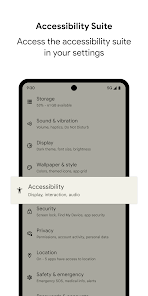


About this app
Android Accessibility Suite is a collection of accessibility apps that help you use your Android device eyes-free or with a switch device.
Android Accessibility Suite includes:
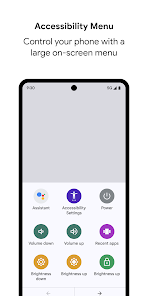
• Accessibility Menu: Use this large on-screen menu to lock your phone, control volume and brightness, take screenshots, and more.
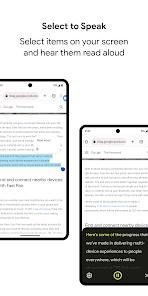
• Select to Speak: Select items on your screen and hear them read aloud.
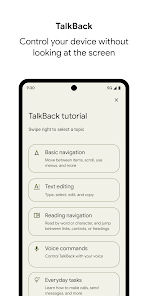
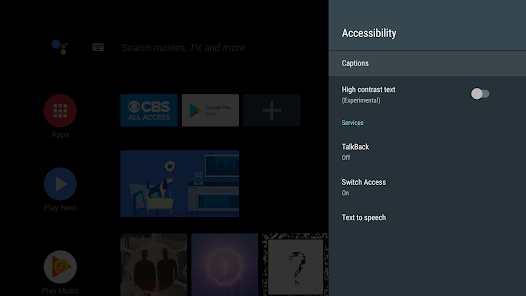
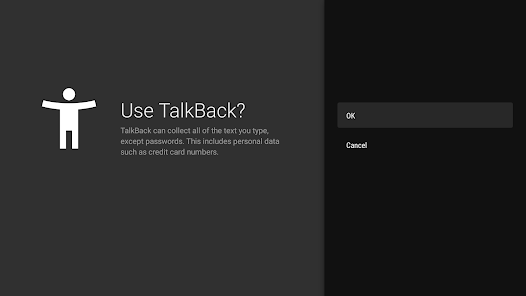
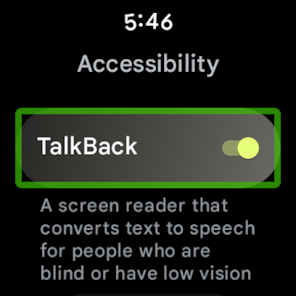
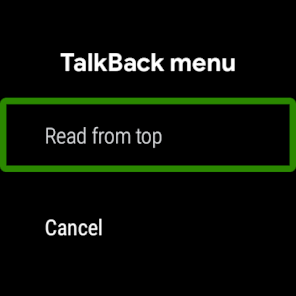
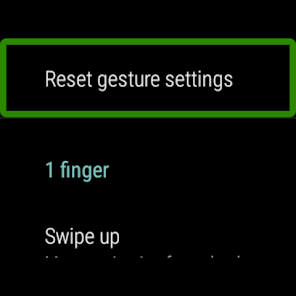
• TalkBack screen reader: Get spoken feedback, control your device with gestures, and type with the on-screen braille keyboard.
To get started:
1. Open your device's Settings app.
2. Select Accessibility.
3. Select Accessibility Menu, Select to Speak, or TalkBack.
Android Accessibility Suite requires Android 7 (Android N) or later. To use TalkBack for Wear, you'll need Wear OS 3.0 or later.
Permissions Notice
• Phone: Android Accessibility Suite observes the phone state so it can adapt announcements to your call status.
• Accessibility Service: Because this app is an accessibility service, it can observe your actions, retrieve window content, and observe text that you type.
• Notifications: When you allow this permission, TalkBack can notify you about updates.
Android Accessibility Suite includes:
• Accessibility Menu: Use this large on-screen menu to lock your phone, control volume and brightness, take screenshots, and more.
• Select to Speak: Select items on your screen and hear them read aloud.
• TalkBack screen reader: Get spoken feedback, control your device with gestures, and type with the on-screen braille keyboard.
To get started:
1. Open your device's Settings app.
2. Select Accessibility.
3. Select Accessibility Menu, Select to Speak, or TalkBack.
Android Accessibility Suite requires Android 7 (Android N) or later. To use TalkBack for Wear, you'll need Wear OS 3.0 or later.
Permissions Notice
• Phone: Android Accessibility Suite observes the phone state so it can adapt announcements to your call status.
• Accessibility Service: Because this app is an accessibility service, it can observe your actions, retrieve window content, and observe text that you type.
• Notifications: When you allow this permission, TalkBack can notify you about updates.
Updated on
Safety starts with understanding how developers collect and share your data. Data privacy and security practices may vary based on your use, region and age. The developer provided this information and may update it over time.

No data shared with third parties
Learn more about how developers declare sharing

This app may collect these data types
App activity, App info and performance, and Device or other IDs

Data is encrypted in transit

Data can’t be deleted
Ratings and reviews
4.2
4.19m reviews

Ganesh Barde
- Flag inappropriate
- Show review history
24 May 2026
This set of Accessibility Settings is not in it's finalized form, because it's got Apt of bugs that need to be fixed! I'm not sure about the specific bugs, but I'm certain I've encountered several of them while using the Accessibility Settings to make it easier for me to use my Android phone! The biggest issue that I can think of at the moment is that there's an issue that keeps causing the 'Select To Speak' feature to stop working and I have to go into my settings to figure out what's wrong!
1 person found this review helpful

Stephanie G
- Flag inappropriate
19 May 2026
When it worked, it worked. However, the button for the accessibilty suite kept dissappearing for me randomly. I had to keep going to Edit Shortcuts and adding it back. Now there's been an update; the formatting is different and all the icons on the accessibility suite are black and white outlines instead of big colorful buttons, so it's harder to distinguish each them from eachother.
1 person found this review helpful

Ken
- Flag inappropriate
11 May 2026
So this review is in reference to the TalkBack accessibility feature. it is atrocious and not only voice presentation, but it basically hijacks your phone and the commands that they give you to operate it half the time either do not work or are delayed longer than listed instructions. I spent 10 minutes repeatedly. trying to turn it off with the instructions provided, until suddenly I did something right didn't what that was. In no way beneficial
5 people found this review helpful
USK: All ages
Learn moreApp support
About the developer
Google LLC
support@google.com
1600 Amphitheatre Pkwy
Mountain View, CA 94043
United States
+1 650-253-0000


